

Design, create, and share your mission with confidence
Autodesk software helps nonprofits plan projects, design solutions, and communicate impact more clearly. Whether you’re renovating a space, developing a product, creating a video, or preparing technical drawings, these tools let you visualize ideas, test them before spending money, and collaborate more effectively with partners.
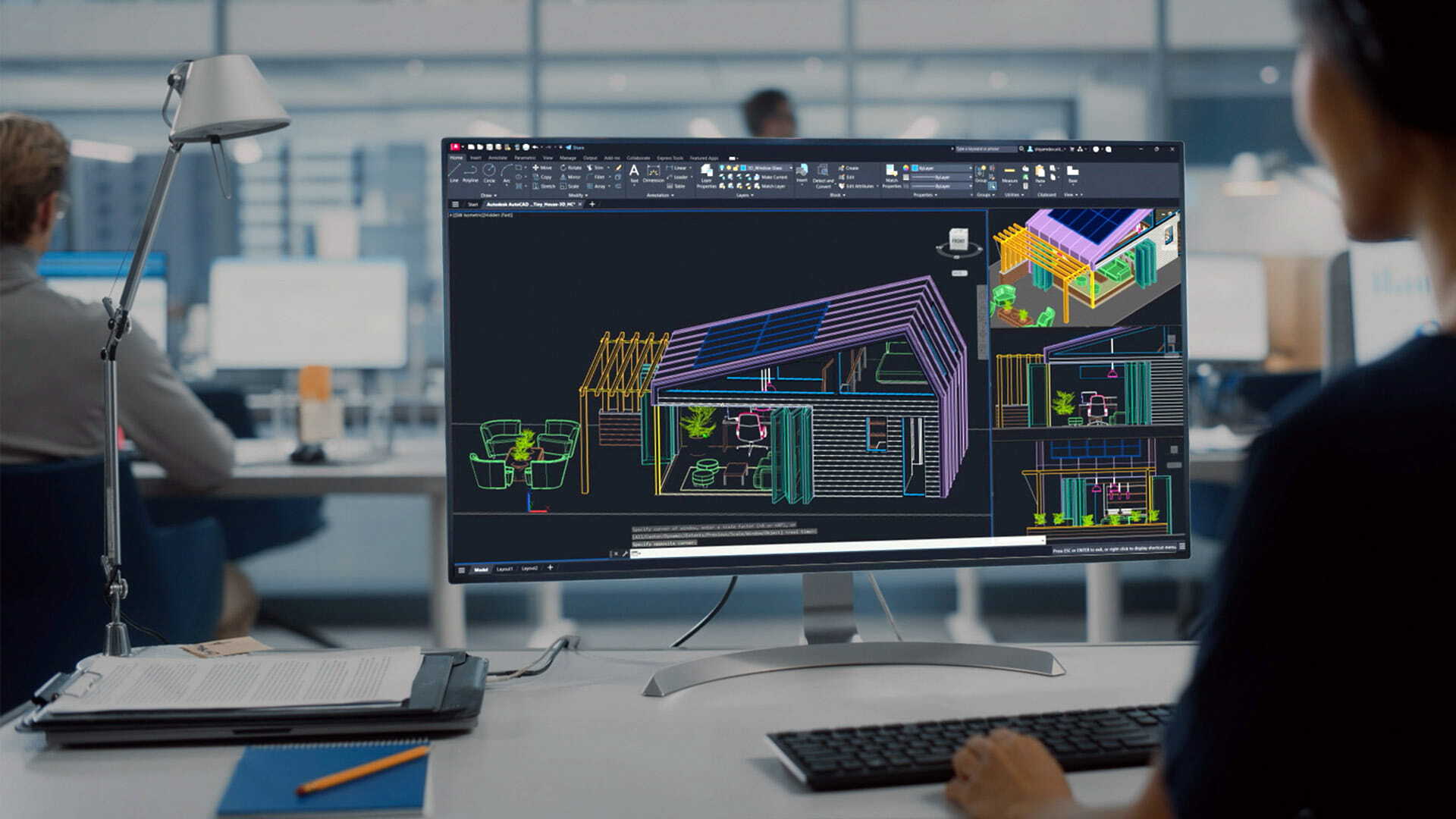
Build spaces
Plan, document, and coordinate renovations, facilities, and community infrastructure.
Create products
Model, simulate, and prepare designs for fabrication before building anything physical.
Produce compelling stories
Make animations and video that help donors and communities understand your work.
Support hands-on learning
Give staff, volunteers, and program participants industry-standard skills.
Find the right Autodesk tools
Autodesk offers individual products and multi-product collections. Start with the one that matches the work in front of you, then expand as your team builds confidence.
AutoCAD
Admin Fee
$220.00
TechSoup Plus members pay $200.00.
Precise drafting and documentation that professionals trust.
Best for
Organizations documenting space, facilities, or renovation plans
- Documenting building plans for renovation projects
- Space planning for community facilities or event layouts
- Preparing site plans for municipal approvals
Fusion
Admin Fee
$70.00
TechSoup Plus members pay $40.00.
One platform from concept to fabrication, ideal for small teams and innovation labs.
Best for
Makerspaces, innovation labs, small teams
- Collaborative design work across volunteer or remote teams
- Prototyping and testing community-driven product ideas
- Preparing files for digital fabrication in local maker labs
Architecture, Engineering and Construction Collection
Admin Fee
$350.00
TechSoup Plus members pay $250.00.
Build community infrastructure with precision and sustainability.
Best for
Nonprofits planning community spaces such as clinics, housing, schools, and public facilities
- Designing a community health clinic or affordable housing project
- Reducing construction waste through coordinated BIM workflows
- Simulating site performance to strengthen grant proposals
Includes AutoCAD, Revit, and Navisworks Manage
See this offer
Product Design Collection
Admin Fee
$320.00
TechSoup Plus members pay $250.00.
Innovate products that change lives, faster and with fewer resources.
Best for
Groups designing products such as medical devices and sustainable goods
- Designing low-cost medical devices or assistive tech
- Creating sustainable products with optimized material use
- Preparing designs for community-based fabrication or 3D printing
Includes AutoCAD and Inventor
See this offer
Media and Entertainment Collection
Admin Fee
$275.00
TechSoup Plus members pay $250.00.
Tell your story with cinematic quality to inspire donors and communities.
Best for
Nonprofits telling visual stories through impact videos, animations, and presentations
- Animating impact stories for donor engagement
- Producing training videos or immersive presentations
- Creating broadcast-quality content for advocacy campaigns
Includes Maya, 3ds Max, and Mudbox. Does not include AutoCAD.
See this offerEach subscription is for one user on a single computer and includes 25 GB of cloud storage. Admin fees are not refundable and products cannot be exchanged. TechSoup Plus members pay a lower admin fee on every Autodesk offer, and all three collections drop to $250.00. Plus is a paid annual membership that also adds consultations with tech experts, a customized tech assessment, and discounted courses. See what TechSoup Plus includes.

1 in 10
People who need a prosthesis and can access one, according to the World Health Organization
10+
Countries where local clinicians produce the prosthetics
Under 10 min
To design a custom socket, down from more than 20 minutes
Next day
Patients can be scanned, fitted, and sent home with a new prosthesis
“With our previous process, it would take us 20 minutes or even longer to design a custom socket. Now, we can create one in less than 10 minutes and it’s ready for 3D printing.”
Michael Peirone, CEO, Victoria Hand Project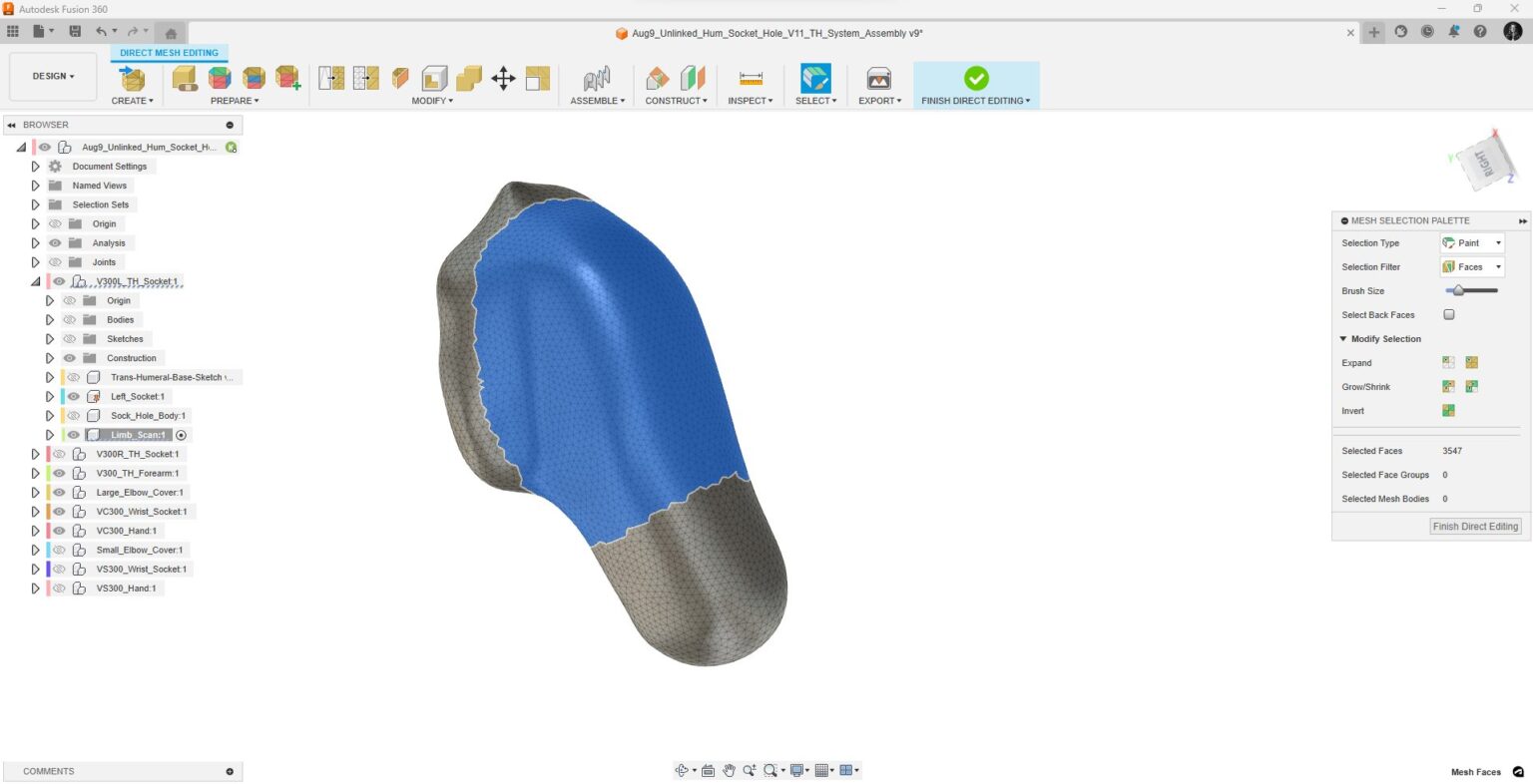
A patient’s limb is 3D scanned, and the dimensions feed straight into the design.
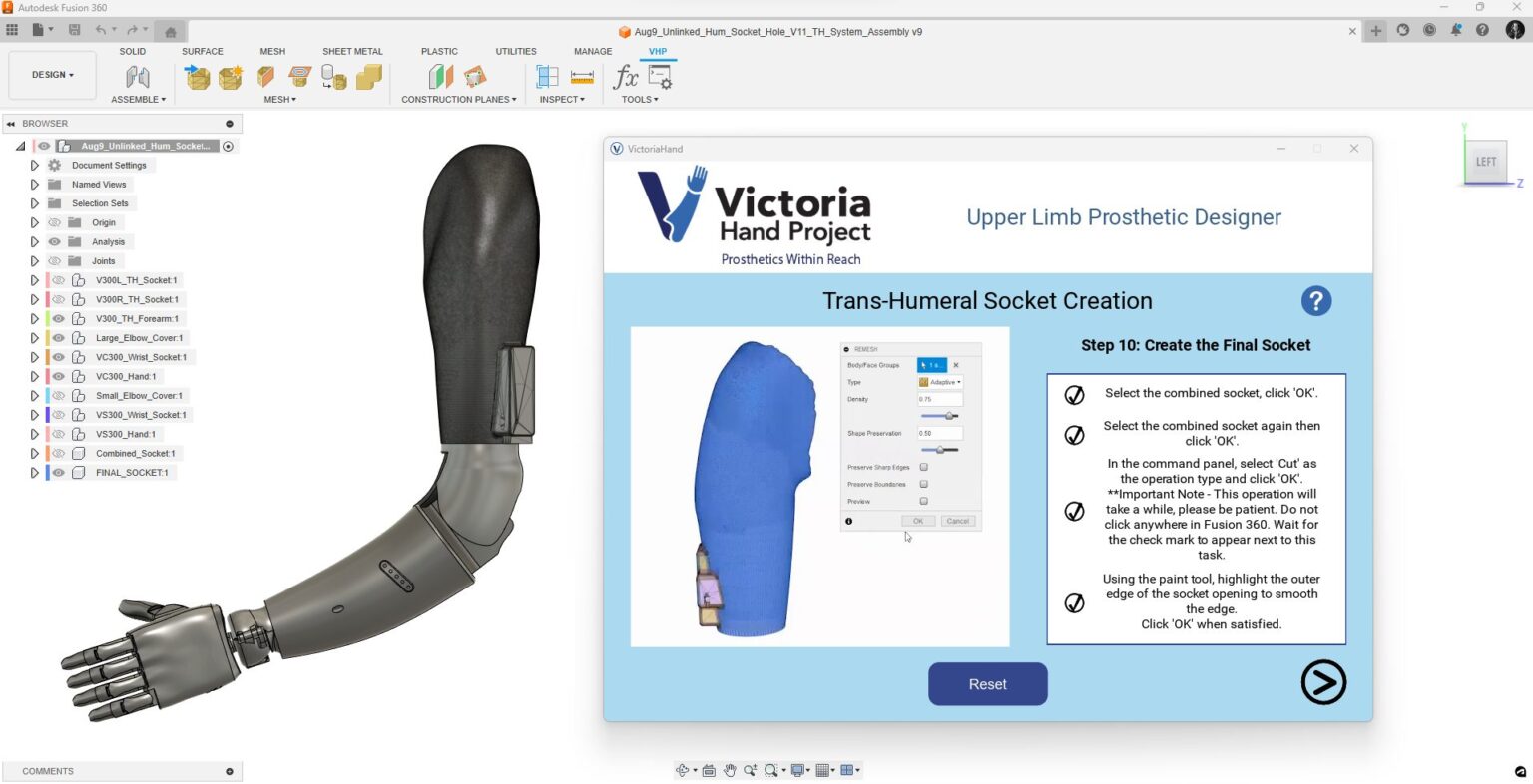
The interface built on Fusion hides the CAD work behind a few simple choices.
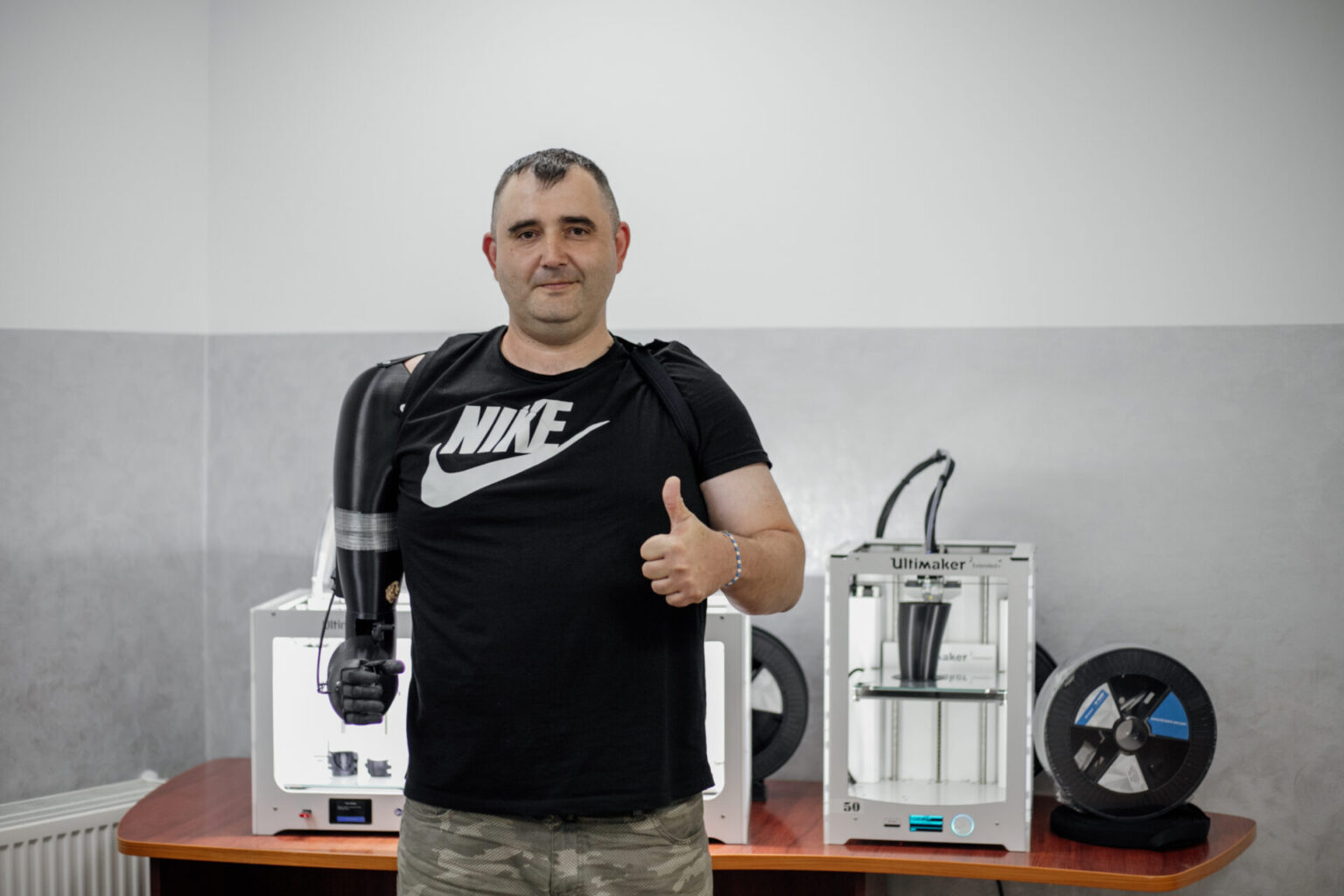
The finished prosthetic prints on site, often overnight.
Images courtesy of Victoria Hand Project. Autodesk Fusion was donated to Victoria Hand Project through Autodesk’s Technology Impact Program, the same program TechSoup distributes. Read the full story
Who qualifies
Autodesk makes software donations available to nonprofits through its Technology Impact Program, and TechSoup distributes those donations. Review the full criteria before requesting.
-
Nonprofits and public libraries only
Products are available to qualifying nonprofits with 501(c)(3) designation and to public libraries. Libraries must either have valid 501(c)(3) status or be listed in the Institute of Museum and Library Services (IMLS) database.
-
An annual operating budget of $10 million or less
Organizations at or under this threshold request through TechSoup. Organizations above it apply to Autodesk directly, and Autodesk reviews the application internally.
-
Up to 10 subscriptions per fiscal year
Organizations may request up to 10 Autodesk subscriptions per fiscal year, July 1 to June 30.
-
Some organization types are not eligible
Legislative and political activity organizations, advocacy organizations, and employee membership benefit organizations cannot request products in this program. Religious organizations need a secular community designation, meaning they serve people regardless of religious belief, do not propagate a specific faith, and hold a tax ID separate from the church.
-
No Autodesk product requested outside a donation program in the past three years
Organizations that did so are not eligible without approval from the Autodesk Foundation. Request an exception by emailing technologyimpact@autodesk.com before requesting through TechSoup.
-
Compliance with the TechSoup Anti-Discrimination Policy
Your organization must comply with the TechSoup Anti-Discrimination Policy.
-
Willingness to participate in a case study
Recipient organizations must be willing and able to provide information to Autodesk for the purposes of creating a case study or testimonial on this program.
-
Yearly renewal
Each subscription runs one year. To continue, pay the TechSoup admin fee again. TechSoup sends reminders and instructions before your payment is due.
Product distribution and license terms
Products are distributed to qualifying organizations only, not to individuals, and recipient organizations may not transfer or resell Autodesk products. Autodesk reserves the right to terminate licenses if an organization stops meeting the eligibility requirements, does not maintain TechSoup membership, or attempts to transfer or resell a product.
Read the full eligibility guidelinesBudget over $10 million?
Autodesk reviews those applications directly rather than routing them through TechSoup. Apply through the Technology Impact Program instead.
Autodesk Technology Impact ProgramHow organizations are using Autodesk
Nonprofits, social enterprises, cultural institutions, and companies using Autodesk tools for housing, healthcare, workforce training, sustainability, and storytelling.
Featured
Training and tutorials
Short guided tutorials, on-demand courses, and archived sessions. Most quick start guides take about 90 minutes.
Frequently Asked Questions
Is my nonprofit organization eligible for a software donation?
Qualifying nonprofits with 501(c)(3) designation and public libraries, with an annual operating budget of $10 million or less. Several organization types are excluded, and organizations above the budget threshold apply to Autodesk directly. The full criteria are listed under Who qualifies.
How long do donations last?
Each subscription runs for one year and allows one user to download and use the software while the subscription is active. To continue service after one year, pay the TechSoup admin fee again. TechSoup sends reminders and instructions before your payment is due.
How many subscriptions can we request?
Ten per fiscal year, and you may request 10 more each subsequent year. If you need licenses beyond the first 10 fulfilled through TechSoup, contact Autodesk directly at technologyimpact@autodesk.com.
We bought an Autodesk product recently. Can we still request a donation?
Organizations that requested any Autodesk product outside of a donation program within the past three years are not eligible without approval from the Autodesk Foundation. Email technologyimpact@autodesk.com to request an exception. That approval does not by itself confirm eligibility.
Do we need design or engineering staff to use these tools?
No. Many nonprofits start by reviewing, annotating, and sharing designs created by consultants or partners rather than drawing from scratch. One or two staff members can learn the basics and coordinate with architects, fabricators, or media partners who do the heavier work. Beginner-friendly tutorials let teams build skills gradually on a real project.
Will these run on a Mac?
AutoCAD and Fusion run on both Windows and macOS. The Product Design Collection is a Windows collection, though Fusion within it also runs on macOS. The Architecture, Engineering and Construction Collection and the Media and Entertainment Collection are Windows only.
What happens after we request a product?
Expect three emails. When TechSoup approves your request, we send a message to your organization email address with preliminary information. Autodesk then sends a confirmation email, followed by a second email on the day your subscription begins. You will need an Autodesk Account.
Turn ideas into clear plans, tested solutions, and compelling visuals
Make smarter decisions, collaborate effectively, and bring your mission to life.
Request a Donation